1The problem
Client business reviews — the reporting packages presented to corporate clients and our executives — were tracked in one analyst’s Excel spreadsheet. Requests came through meetings and email, data cleanup across four teams was chased by hand, and nobody but the analyst could see where a review stood.
Every review depended on clean data from several teams. If a report didn’t run clean, the analyst went back to the team, waited, and ran it again — sometimes more than once.
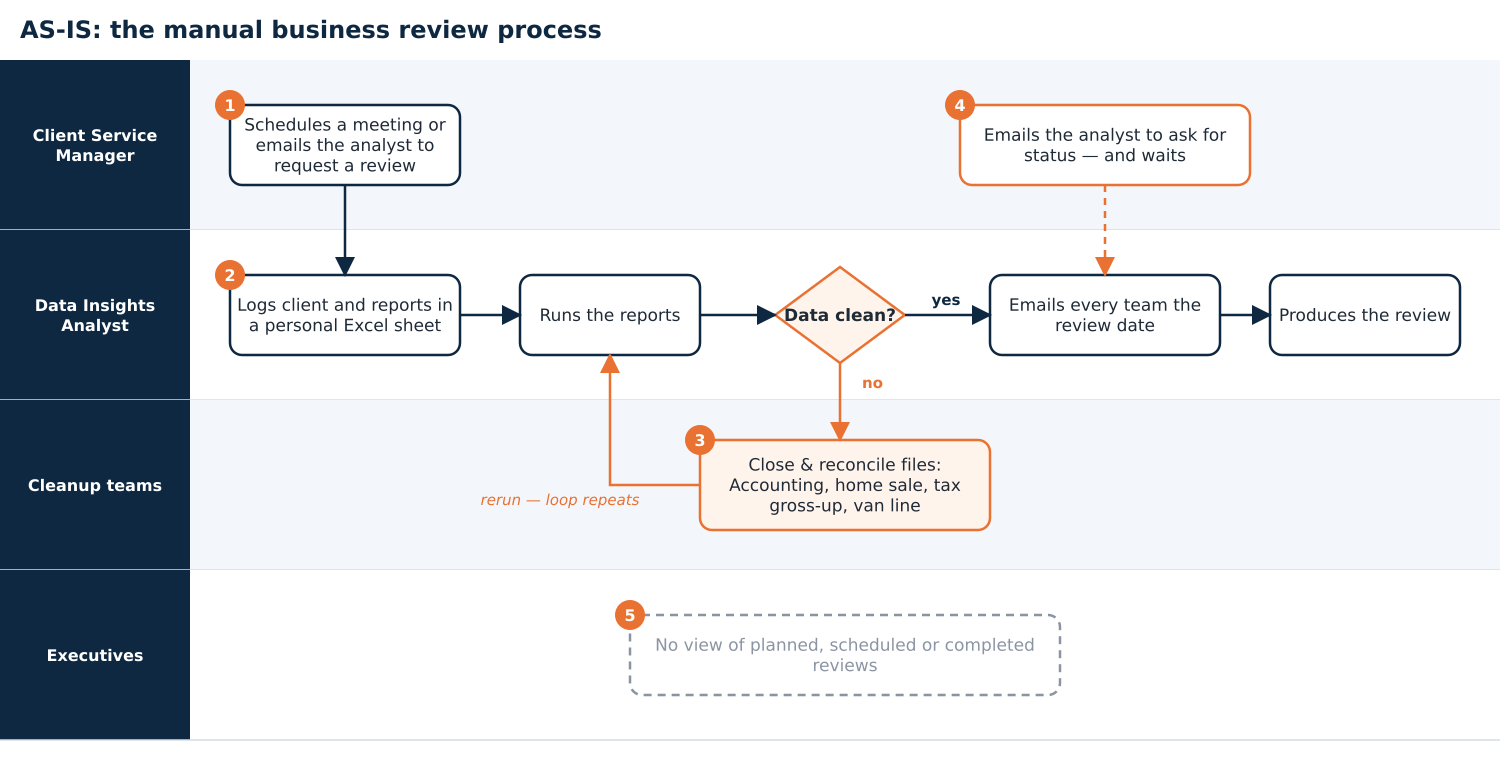
Current state: requests by email, status in one spreadsheet, a hidden rework loop.
- One person, one spreadsheet. No one else could see status, and coverage during an absence meant starting over.
- Status by email. Client Service Managers and Directors had to ask the analyst for every update.
- No history. No record of which reports each client received, or why.
- No executive view. No count of planned, scheduled or completed reviews.
2The idea: a menu, not a notes field
It wasn’t my process to own, but I could see what it needed. Order a business review the way you’d order at a counter: every review starts from a standard base, and the Client Service Manager adds only what that client uses — domestic, international, home sale, or the à la carte Core Flex plan. Choices are checkboxes, not free-form notes, so the history stays clean and reportable.
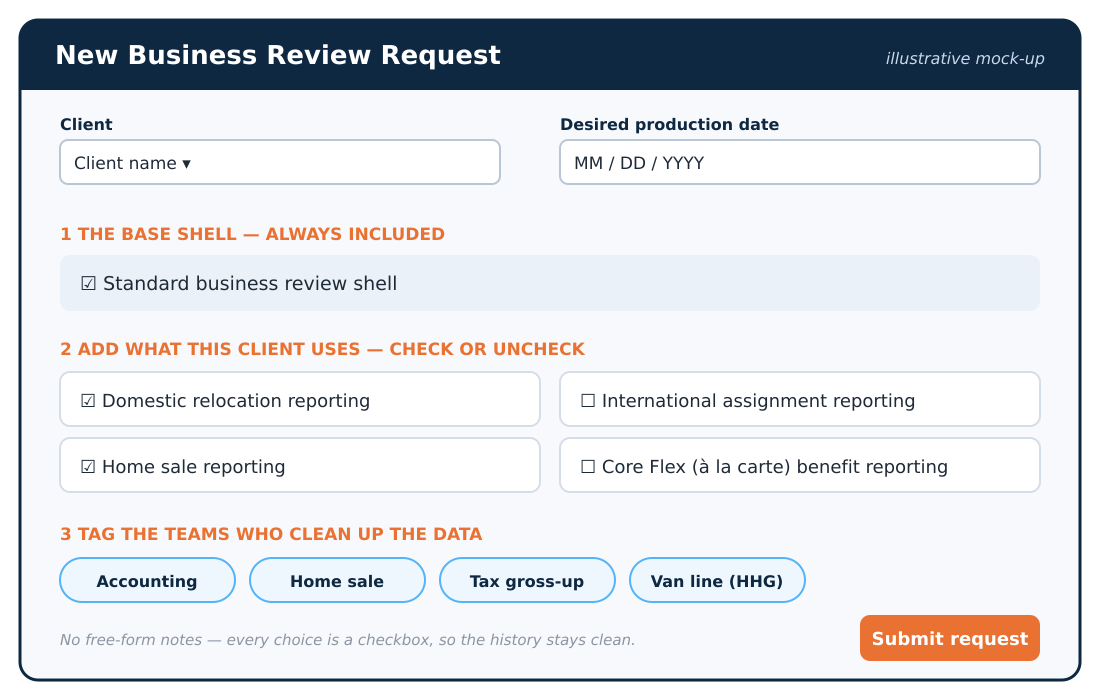
Illustrative mock-up recreated for this case study — not the original screen.
| Need | Before | After |
|---|---|---|
| Request intake | Meeting or email with the analyst | Self-service menu with a desired production date |
| Status | Ask the analyst | Everyone tagged sees it any time |
| Cleanup tracking | Notes in one spreadsheet | Status by team on every review |
| History | In people’s heads | Every request saved, by client |
| Executive reporting | None | Weekly planned / scheduled / completed status |
3Why SharePoint
| Option | Pros | Cons | Decision |
|---|---|---|---|
| Keep Excel and email | No change needed | Same bottleneck and blind spots | Rejected |
| Buy a workflow tool | Powerful features | Cost, procurement, long lead time | Not needed |
| SharePoint request menu | Already licensed; supported internally; familiar | Needed adoption | Chosen |
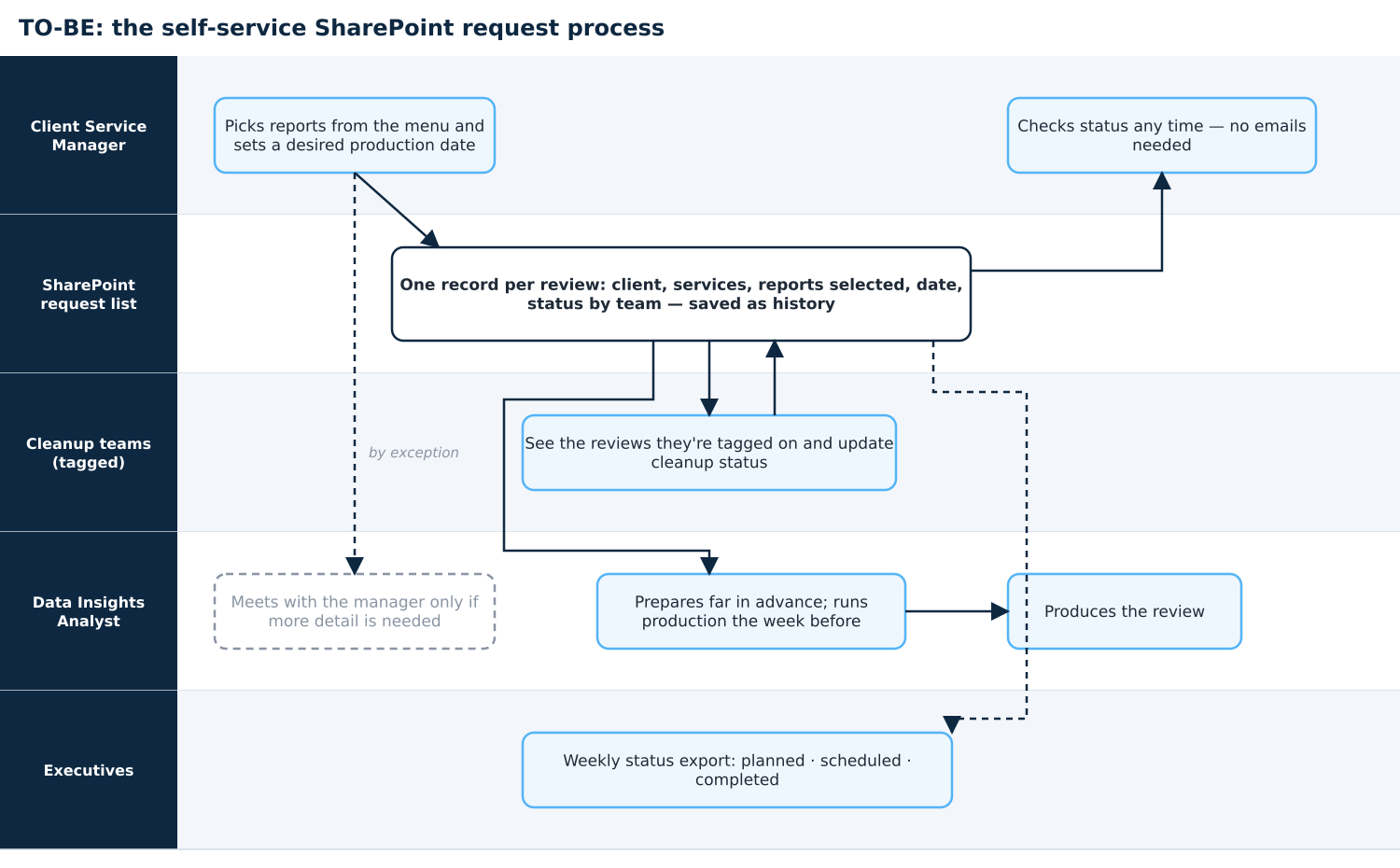
Future state: one request, shared status, and a weekly executive count.
4Rollout and adoption
My Director backed the idea from day one and brought in the SharePoint development lead, whose team built and maintained the site. We launched at the start of a business review season with a simple message: this replaces scheduling appointments with your analyst — use it this season and tell us what you think.
Two analysts kept a parallel Excel file at first. Rather than forcing the switch, we let the tool prove itself during the season — and both came around. Visibility was phased: Client Service and Operations Managers first, then Accounting and van line suppliers once the process was proven.
5Results
- 40% improvement in reporting efficiency and 60% less manual reporting time.
- 100+ business reviews produced in the season, with the tool used year-round for monthly and on-demand reviews.
- From zero visibility to full transparency for everyone involved in each review.
- A weekly executive status report on planned, scheduled and completed reviews — which hadn’t existed before.
- Recognition: nominated by a peer and voted Employee of the Year by the executive team in 2019.
“Kristine is a joy to work with and always brings an at-the-ready attitude to assist wherever needed. She is detail-oriented and communicative. Any team would benefit from having her!”
6What I learned
Described in general terms. Figures are from memory and the author’s resume; visuals are illustrative.
Downloads
The full case study includes requirements, stakeholder analysis and trade-offs.